
Kidduca 3D:Kids Learning Games
Play & Learn: Online Educational Apps for Kids 2–7Educational
4.610.00 Reviews
- Version
- 1.7.28
- Installs
- 50.00K
- Age Rating
- Everyone
Screenshots
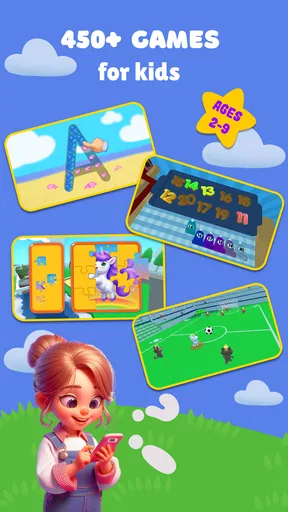
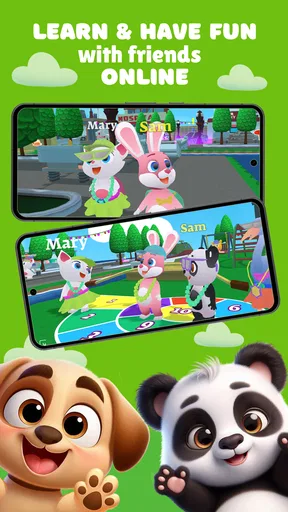
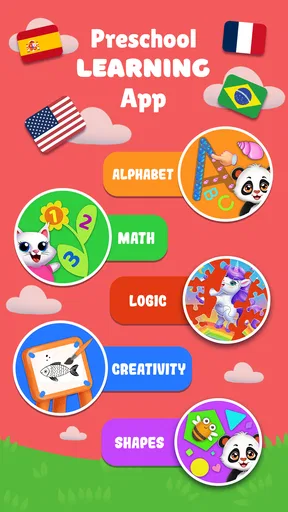
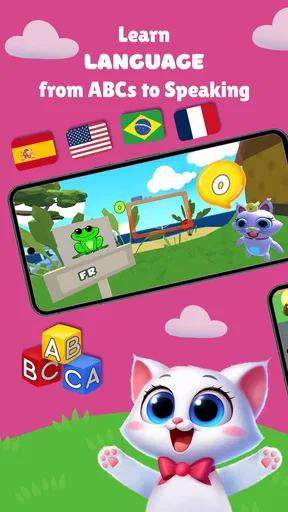
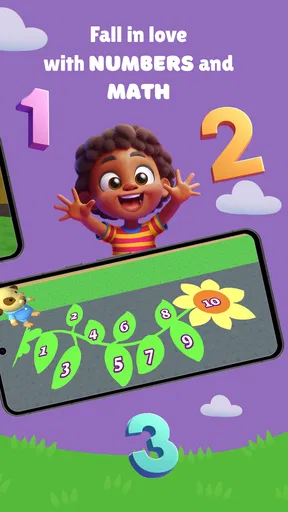
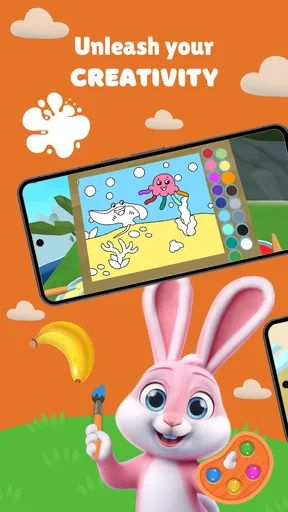
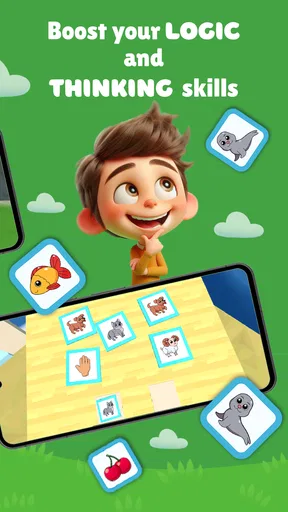
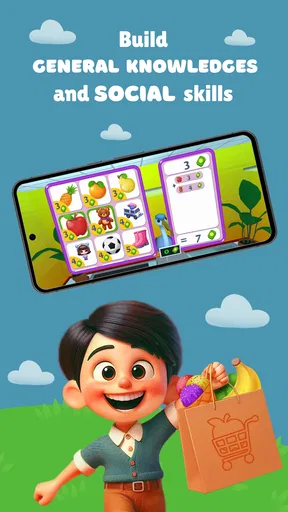
Our Review of Kidduca 3D:Kids Learning Games
 Analysis by Appyee
I found Kidduca 3D most interesting as a shared activity rather than a game that a child is expected to play alone for long stretches. It combines early learning topics such as numbers, letters, colors, and languages with a car-racing element, so the experience tries to move between quiet practice and playful movement. That mix can be useful when a young child loses interest quickly, although it also means parents should guide the session instead of treating it as a complete learning program.
This is a free educational game for young children, rated Everyone, and it is aimed especially at babies and children from roughly two to seven years old. The developer is Play & Learn: Online Educational Apps for Kids 2–7. On Android, it requires version 8.0 or later, and the current version is 1.7.28. The app has passed the fifty-thousand-install mark and holds a 4.6 average from 53 ratings, with 10 written reviews. Those figures suggest a small but positive user base rather than a long-established giant in the children’s app space.
How Kidduca 3D feels in everyday use
The strongest part of the concept is its attempt to make basic learning feel less like a worksheet. A child can move from recognizing ABC characters or colors to a more energetic car-racing activity. For a parent, that creates a simple rhythm: begin with a short learning task, allow a playful break, and return to another topic before attention disappears. I would use it in brief sessions, perhaps while waiting for an appointment or during a calm period before dinner, rather than handing over the phone for an open-ended gaming session.
The 3D presentation matters here because very young children often respond more readily to movement and visual depth than to a flat list of exercises. Still, visual appeal should not be confused with educational depth. The value comes from how an adult talks through the activity: asking the child to name a color, repeat a letter, count aloud, or explain what happened during a race. Without that interaction, the app risks becoming a sequence of taps that keeps a child busy without building much understanding.
I also like the inclusion of language practice in the same package. A family that wants to introduce a second language can use those moments for repetition, especially when the child is already comfortable with colors or early counting. The practical advantage is convenience: parents do not need to switch between several separate applications for every basic subject. The trade-off is that a broad collection of topics may not offer the same depth as a dedicated alphabet, mathematics, or language app.
A useful routine for parents and children
A realistic routine would be to choose one subject before opening the game. For example, I would tell a child that the first few minutes are for identifying colors, then use the car activity as a reward, and finish by asking the child to point out a color or letter seen during play. This keeps the racing section from taking over the entire session. It also turns passive screen time into a small conversation, which is where much of the learning benefit can come from.
Another practical approach is to match the task to the child’s energy level. A tired toddler may manage color recognition better than a new language exercise, while an energetic preschooler may engage more readily after a short race. I would not insist on completing every subject in one sitting. The app is more approachable when parents treat its different areas as a menu of short activities rather than as a course that must be finished from beginning to end.
For siblings, the shared format can work if their ages are close enough. An older child may answer questions while a younger one handles simple taps or watches the animation. If their abilities differ widely, however, the older child may become bored and the younger one may simply follow along without understanding. In that situation, a more focused app designed for one developmental stage would probably be the better choice.
What the current version tells me
The current release, 1.7.28, shows that the product is being maintained beyond its original launch. It was released on October 15, 2023, so I see it as a relatively young entry in the children’s learning category rather than a mature platform with years of accumulated content. That distinction matters. A newer app can feel fresh and focused, but parents may also encounter a smaller activity range than they would in a long-running educational suite.
I would pay attention to whether future updates improve the balance between the learning tasks and the racing portion. The central idea works best when both sides support each other. If the educational activities remain short while the racing becomes the main attraction, the app may function more as a racing game with learning themes. If later versions add clearer progression or more varied practice, it could become more useful for families looking for a regular early-learning routine.
The version number itself does not tell me that every part of the experience has changed, so I would not assume that an update represents a major redesign. What I can say is that the app’s present identity is clear: it is a playful 3D learning game that brings several introductory subjects together. Parents deciding whether to try it should judge the current experience on that basis, not on expectations of a full preschool curriculum.
Where it helps existing users
For a child already using the app, the broad subject mix can reduce the need to jump between different icons and interfaces. That continuity is helpful for young users who become frustrated when an adult has to set up a new app for every activity. A parent can keep the same familiar environment while changing the challenge from letters to colors, languages, or simple mathematics. Familiarity may also make transitions easier for children who resist new learning tools.
The free entry point is another practical advantage. Families can try the basic experience before deciding whether it fits their child’s attention span and learning level. The app includes in-app purchases priced from $6.99 to $55.99 per item, so I would review the purchase screen carefully and make sure the adult, not the child, controls any decision to spend money. The wide range means the free starting point should not be confused with unlimited access to every possible part of the experience.
That payment structure creates an important trade-off. A family that only wants occasional activities may find the free version sufficient, while a family hoping to use the app regularly may need to consider whether the available paid content justifies the cost. I would test the free experience over several short sessions before buying anything. This is especially important because a child’s enthusiasm on the first day does not always translate into sustained interest during the following weeks.
Learning value compared with familiar alternatives
Compared with a traditional alphabet or counting app, Kidduca 3D has a wider emotional range. The racing component can make it easier to re-engage a child who is tired of direct questions. On the other hand, a specialized mathematics app will usually be a better fit for a child who needs systematic number practice, and a dedicated language tool may offer a more consistent path for pronunciation and vocabulary. I would choose this game for variety, not as the only educational resource in the home.
Compared with passive video content, the game format gives the child something to do rather than merely watch. That can make a short session feel more interactive. Yet interaction alone is not proof of learning. A child can tap quickly through attractive scenes without remembering the underlying concept. Parents who want measurable progress, detailed lesson planning, or a tightly structured curriculum should look toward a more specialized educational product.
The best comparison is therefore not “better or worse,” but “better for which moment?” This app is convenient when a parent wants several early-learning themes in one place and needs a playful change of pace. It is less suitable when the goal is intensive practice in one skill, independent study with little supervision, or a carefully sequenced program that tracks development in detail.
Small frictions parents should expect
The combination of subjects can also feel scattered. A child may move from ABC practice to colors, then to languages and racing without a clear sense of progression. I would solve that by choosing the topic myself and keeping the session short. If the app offers no reason to return to a previous skill, parents will need to provide that structure through repetition and conversation.
The racing activity may be exciting, but it can overshadow the quieter educational sections. This is a common issue with mixed-purpose children’s games: the most immediately entertaining part becomes the child’s only requested activity. In my view, the racing section should be treated as a transition or reward, not automatically as the centerpiece. If a child refuses every learning activity and only wants to race, the app is no longer serving the purpose the parent intended.
Very young children may also need help with navigation, even if the individual activities are simple. A baby cannot be expected to select an appropriate subject, understand when an exercise is complete, or stop at a sensible point. An adult nearby can turn that limitation into a strength by naming objects and celebrating attempts, but parents looking for a truly hands-off experience should be realistic about the supervision involved.
Who should try it, and who should skip it
I would recommend giving it a chance if you have a young child who responds well to colorful movement, enjoys switching between activities, and benefits from an adult joining in. It is particularly appealing for families that want a single free starting point covering several introductory topics rather than separate apps for every skill. The Everyone rating also makes it broadly approachable for family use, though the child’s actual readiness still matters more than the label.
I would skip it, or at least avoid making it the main learning tool, if your child needs advanced reading, detailed mathematics instruction, or a strict lesson sequence. It is also not my first choice for parents who want long, independent sessions with no adult involvement. The game’s variety is its main attraction, but that same variety may feel unfocused to a family seeking depth and visible progression.
It may also be a poor fit for children who become overstimulated by fast visual changes or who have no interest in racing. In that case, a quieter, single-subject application could create a calmer learning environment. Choosing a different tool would not mean this game is weak; it would simply reflect a better match between the child’s temperament and the app’s playful 3D approach.
What I would watch in future updates
Because this is a relatively recent product with an active current version, I would watch for improvements that make learning progress easier for parents to understand. Clearer separation between subjects, more purposeful repetition, and better ways to return to a child’s weaker areas would make the broad concept more useful. I would also welcome changes that keep the racing activity connected to the learning goals instead of letting it become a separate distraction.
I would also look for a smoother experience around paid content. The free version is valuable as a trial, but parents need to know what kind of ongoing use it supports before considering purchases. A clear distinction between occasional play and a fuller learning package would help families make a sensible decision, particularly when individual purchases can range from $6.99 to $55.99.
For now, my advice is to install it as a guided activity, not as a digital babysitter. Start with one topic, observe how your child responds, and use the car-racing section carefully so it supports rather than replaces the learning. That approach gives the app a fair test and makes its strengths easier to see.
My overall impression is positive but measured. Kidduca 3D works best as a flexible early-learning companion: it brings basic subjects and playful racing into one child-friendly space, offers a free way to begin, and can create useful parent-child moments when used intentionally. Its limitations are just as clear: it is broad rather than deep, its most exciting activity may distract from the educational goal, and adults still need to provide structure. For families wanting variety and short shared sessions, I think it is worth trying. For focused academic practice, a dedicated learning app will likely be the stronger choice.
Verdict
Strengths of Kidduca 3D:Kids Learning Games
- Bright 3D visuals make lessons attractive for young children.
- Covers several early-learning topics in one app.
- Interactive activities encourage hands-on learning.
- Simple controls are suitable for preschool-age users.
- Short games fit well into brief learning sessions.
Limitations of Kidduca 3D:Kids Learning Games
- Some activities may feel repetitive after extended play.,3D graphics can be demanding on older or budget devices.
- Younger children may still need help navigating menus.
- Educational depth may be limited for advanced learners.
- Parents should review in-app purchases and privacy settings.
Other Releases by Play & Learn: Online Educational Apps for Kids 2–7
View All
Kidduca: Kids Learning Games
Educational4.3
Similar Picks in This Category
View All
Little Panda Policeman
BabyBus4.0

Monster Trucks Game for Kids 2
Raz Games4.1

Little Panda's Chinese Recipes
BabyBus4.4

Little Panda's Restaurant
BabyBus4.4

Little Panda's Ice Cream Games
BabyBus4.3

Baby Panda Care
BabyBus3.8
Frequently Asked Questions
What is Kidduca 3D: Kids Learning Games?
Kidduca 3D: Kids Learning Games is an educational app designed to make early learning more engaging through colorful three-dimensional activities. It generally focuses on basic skills such as numbers, letters, shapes, colors, memory, and simple problem-solving. The game-like format can help children learn at their own pace while keeping practice sessions more entertaining than traditional worksheets or flashcards.
What age group is Kidduca 3D suitable for?
Kidduca 3D is mainly intended for young children in the preschool and early elementary stages, although the ideal age may vary depending on the child’s reading ability and previous experience with educational games. Younger children may need an adult to explain instructions, while older children may use the activities independently. Parents should review the available lessons to confirm they match their child’s level.
Does Kidduca 3D require an internet connection?
Some parts of Kidduca 3D may work without a continuous internet connection after the app has been installed and its required content has loaded. However, internet access could still be necessary for downloading updates, restoring purchases, displaying certain content, or accessing features connected to the developer’s services. It is best to open the app once while connected before giving it to a child for offline use.
Is Kidduca 3D safe for children, and does it include advertisements or purchases?
Parents should check the app’s current store listing and in-app settings before allowing independent use. Depending on the version and platform, Kidduca 3D may include advertisements, optional purchases, subscriptions, or links intended for adults. Use parental controls and disable unauthorized purchases through the device settings. Reviewing the privacy policy is also recommended, particularly if the app collects usage information or requires an account.
What are the main benefits and limitations of Kidduca 3D?
The main benefit of Kidduca 3D is its playful visual presentation, which can make foundational learning more appealing and encourage children to practice repeatedly. Interactive exercises may support recognition, memory, coordination, and early reasoning. Nevertheless, it should complement—not replace—parental guidance, books, classroom instruction, and hands-on play. Some children may also find repeated activities too easy or lose interest over time.
Play our best games!


